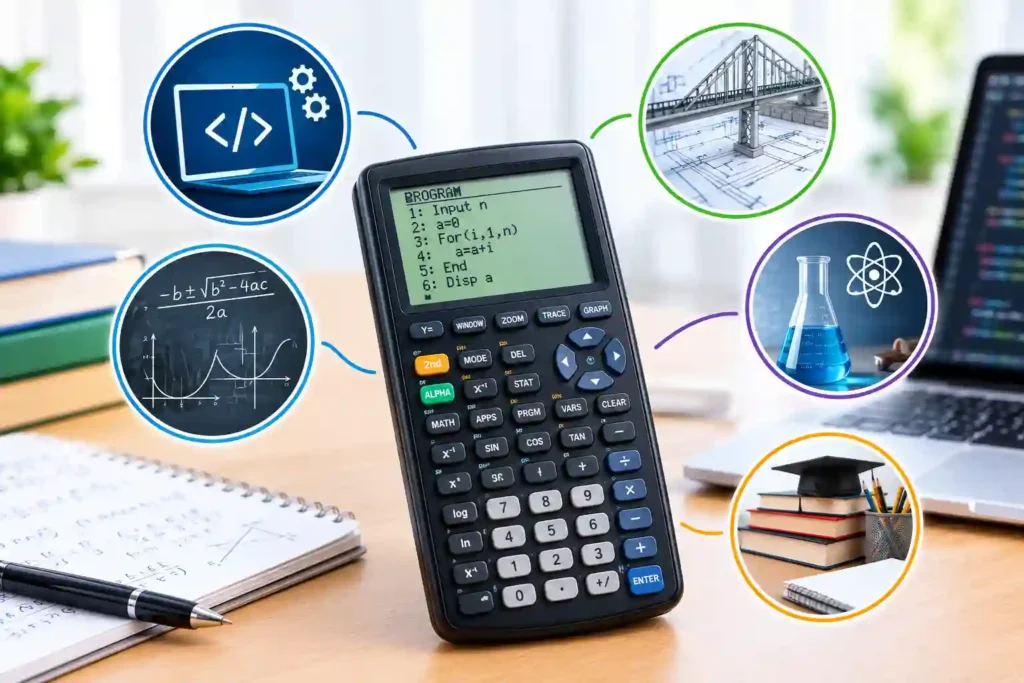
In 1974, Hewlett-Packard introduced the HP-65, which HP describes as the first programmable pocket calculator. Priced at $795, it stored 100-step programs on magnetic cards. That milestone helps explain what is a programmable calculator: a device that stores instructions and repeats them with new inputs. Students and engineers can automate verified methods, test scenarios consistently, and reduce repetitive entry. This guide covers programming, categories, examination rules, uses, limitations, and selection.
What Is a Programmable Calculator and How Is It Different?
A programmable calculator combines mathematical functions with memory for user-created instructions. A program can request inputs, apply formulas, repeat operations, make decisions, and display results. It becomes a small task-specific computer rather than only an arithmetic device.
Some models record keystrokes; others support TI-Basic, Python, assembly, or proprietary commands. A programmable graphing calculator can also plot functions, analyze lists, and display tables. Understanding what is a programmable calculator means recognizing that it repeats the user’s logic, including incorrect formulas, units, or assumptions.
How Does a Programmable Calculator Work?
To understand what is a programmable calculator technically, follow its processing chain:
1. The user creates instructions in an editor or records keystrokes.
2. Firmware interprets commands for the processor.
3. Variables store inputs, constants, and intermediate values.
4. Loops and conditional statements control repetition and decisions.
5. The display presents numerical, textual, tabular, or graphical output.
Programs use prompts, assignments, labels, subroutines, and tests. Memory limits program length and data. Good code rejects invalid inputs, division by zero, impossible geometry, and out-of-range values while avoiding unnecessary loops.
Why Students and Engineers Use Them
The practical answer to what is a programmable calculator is a reusable problem-solving tool. Students turn formulas into algorithms. Engineers automate interpolation, coordinate conversion, surveying, statistics, engineering economics, and field checks.
Advantages
- Repeatable execution of validated methods
- Faster scenario testing with changing inputs
- Fewer keystrokes and entry inconsistencies
- Offline classroom, laboratory, and field operation
- Practical learning of variables, loops, and decisions
Limitations
- Small screens complicate review and debugging
- Keyboard entry can be slow
- Hidden assumptions may produce plausible errors
- Safety-critical work still needs standards, independent checks, and professional judgment
History and Examples of Programmable Calculators
The HP-65 arrived in 1974 with magnetic cards for saving and reloading programs. The Computer History Museum reports 100-line capacity, bringing reusable computation into a pocket-sized device.
Modern examples of programmable calculators include the TI-84 Plus family, supporting TI-Basic and assembly, and Casio’s fx-CG50, offering calculator programming and Python. They combine coding with graphing, statistics, and data analysis.
Examination rules are model-specific. College Board permits non-CAS graphing calculators with programming options on the SAT but requires removal of documents and symbolic-algebra programs. NCEES approves only named families for its 2026 engineering exams. Therefore, what is a programmable calculator is not the only question; verify the model, features, and stored content.
Main Types of Programmable Calculators
1. Programmable Scientific Calculators
These combine scientific functions with stored programs. They suit repeated formulas, numerical methods, surveying, statistics, and engineering economics without graphing.
Pros
- Compact, offline, and efficient for repeated calculations
- Usually simpler than advanced graphing models
Cons
- Limited screen space and program memory
- Editing is difficult, and exam approval varies
2. Programmable Graphing Calculator Models
A programmable graphing calculator combines coding with graphs, tables, lists, matrices, and statistics for visual algorithms and iterative analysis.
Pros
- Visualizes functions, data, and program output
- Supports larger programs and richer data structures
Cons
- Higher cost and interface complexity
- CAS, connectivity, or stored programs may be restricted
3. CAS and Advanced Programmable Models
Computer algebra system devices manipulate expressions, solve equations symbolically, graph, and run sophisticated programs, often exceeding course or examination requirements.
Pros
- Handles symbolic algebra, calculus, and reusable advanced routines
- Reduces repetitive symbolic manipulation
Cons
- Steeper learning curve and higher price
- Frequently prohibited in standardized examinations
4. Calculator Apps and Emulators
Software calculators provide programming, larger screens, debugging, backups, and file transfer before verified code moves to an approved handheld.
Pros
- Easier code entry, review, testing, and sharing
- Better documentation and debugging tools
Cons
- Phones and computers may be prohibited during tests
- Updates, privacy, connectivity, and distractions add risk
What Is a Non Programmable Scientific Calculator?
The question what is a non programmable scientific calculator describes a device with built-in scientific functions but no user-program storage. It may calculate trigonometry, logarithms, fractions, matrices, statistics, derivatives, or integrals without saving custom procedures.
Casio labels the fx-991CW nonprogrammable and nongraphing. Texas Instruments positions the TI-36X Pro for advanced mathematics and engineering where graphing may be barred. When asking what is a non programmable scientific calculator, remember that these devices can still contain substantial mathematics.
Programmable vs Non Programmable Calculator
A programmable vs non programmable calculator comparison should focus on workflow, not only function count. A nonprogrammable model may contain more built-in mathematics than an older programmable device, but it cannot automate a custom sequence.
Choose programming for repeated calculations, algorithms, customized checks, or field routines. Choose nonprogrammable technology for simplicity, direct entry, lower cost, and broader acceptance. In a programmable vs non programmable calculator decision, the simplest approved tool is usually safest.
Programmable pros: automation, reusable logic, customization, and iteration.
Programmable cons: setup time, debugging risk, policy restrictions, and hidden code errors.
Nonprogrammable pros: predictable functions, easier operation, and broader acceptance.
Nonprogrammable cons: repeated manual entry and limited customization.
Programmable Calculator vs Scientific Calculator
The phrase programmable calculator vs scientific calculator compares characteristics that can overlap. “Scientific” describes built-in mathematical functions; “programmable” describes whether users can store custom instructions. A calculator may be scientific and programmable, scientific and nonprogrammable, or programmable and graphing.
A standard Scientific Calculator may suffice for algebra, trigonometry, chemistry, or introductory engineering. Programming adds value for repeated formulas and algorithms. A programmable calculator vs scientific calculator choice should compare functions, coding, course needs, and exam policy.
How to Program and Validate One
1. Define the problem, units, assumptions, and expected output.
2. Solve one test case independently.
3. Use clear variable names and document constants.
4. Reject invalid inputs and prevent impossible operations.
5. Test normal, boundary, zero, negative, and extreme cases.
6. Compare every result with a trusted method.
7. Save the verified version and record later changes.
Never trust a downloaded routine merely because it runs. Review formulas, units, signs, rounding, ranges, and limitations. Engineering teams should retain its source, version, validation cases, and approval.
How to Choose the Right Model
Evaluate required functions, languages, memory, display, keyboard, battery, durability, and data transfer. Confirm course requirements and current examination policy.
Review manuals and examples of programmable calculators before purchasing. Start with InfraTech Hub’s Different Types of Calculators pillar, then compare its Scientific Calculator, Graphing Calculator, Financial Calculator, and Unit Converter resources. Understanding what is a programmable calculator prevents buying power that is unusable or prohibited.
Conclusion
Understanding what is a programmable calculator means recognizing a compact computer that repeats user-defined logic. It saves time and teaches algorithms only after validation. Select an approved model, document programs, verify units and assumptions, and use InfraTech Hub’s guides to choose confidently for dependable real-world use today.